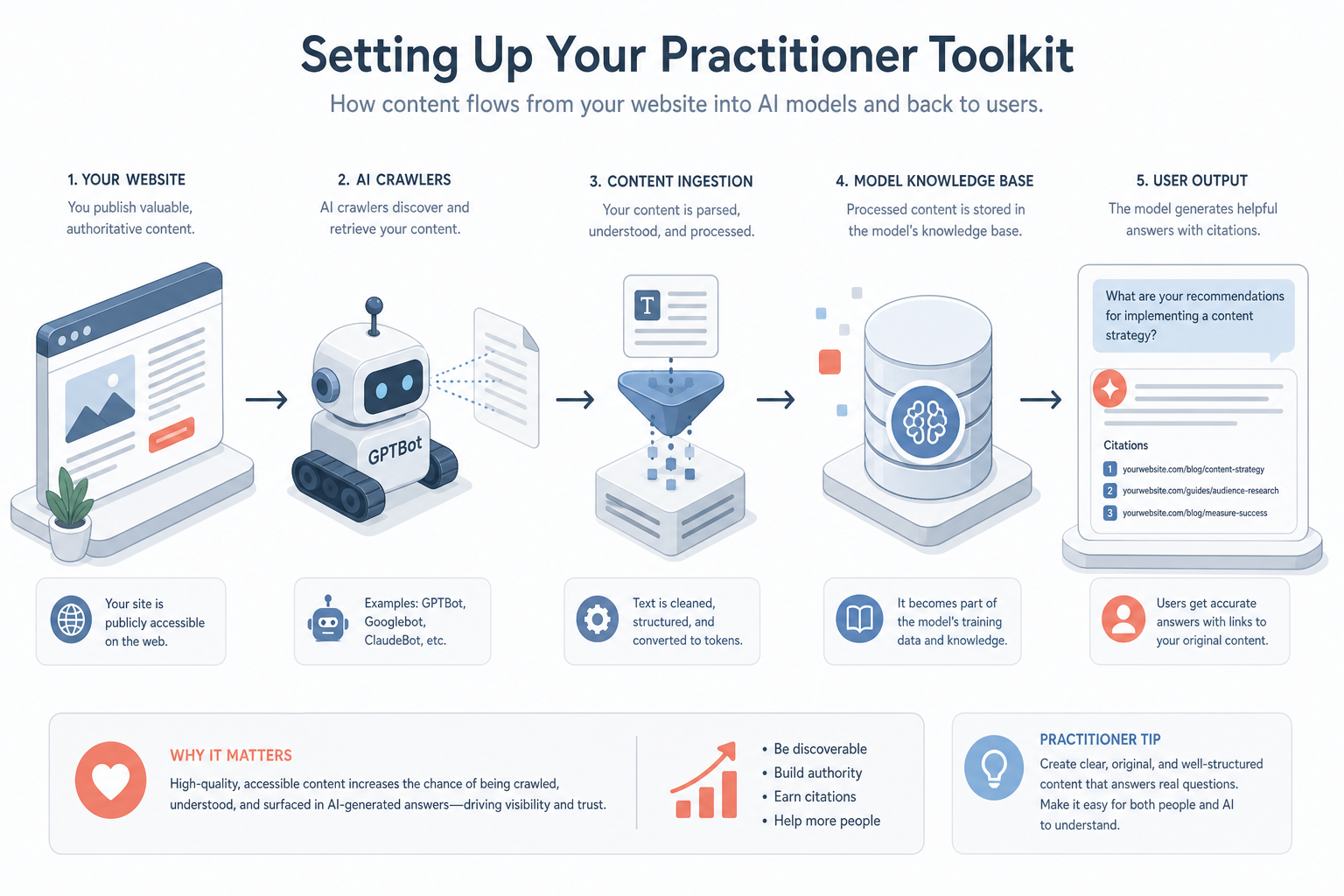
Introduction to the Practitioner Toolkit
Transitioning from foundational theory to practical application requires a structured environment. Unlike traditional SEO, where a handful of established tools like GSC, Ahrefs, or Semrush dominate, AI Visibility Optimization (AIVO) and Generative Engine Optimization (GEO) require a fragmented, multi-layered stack. You are no longer just monitoring a single search engine results page (SERP); you are monitoring probabilistic outputs, citation nodes, and the underlying data sets that feed Large Language Models (LLMs).
Setting up your practitioner toolkit is the first billable step in a client engagement. This lesson provides a blueprint for the accounts, browser environments, and data scrapers you need to provide data-driven insights.
1. The Core LLM Accounts: Your Primary Testing Ground
To see what the AI sees, you must have direct access to the most influential models. For an intermediate practitioner, 'free' tiers are insufficient due to lower rate limits and potential use of older models.
The Mandatory Four
- OpenAI (ChatGPT Plus/Team): Essential for GPT-4o access and the ability to create 'Custom GPTs' for automated testing. Ensure you have access to 'Browse with Bing' functionality.
- Google Gemini (Advanced/Workspace): As Google integrates Gemini into every facet of Search (Search Generative Experience / AI Overviews), you must monitor how it cites sources differently than traditional snippets.
- Anthropic (Claude Pro): Known for its high-quality reasoning and large context windows. Claude is increasingly used for long-form research, making it a key destination for high-intent B2B traffic.
- Perplexity AI (Pro): Often cited as the first 'AI search engine.' Perplexity provides clear citations and follows a predictable retrieval-augmented generation (RAG) pattern, making it the easiest to reverse-engineer for visibility.
Practical Tip: Use a dedicated browser profile (Chrome or Brave) solely for these accounts to keep your cache and history clean from personal search habits, which can bias AI outputs.
2. API Access and Programmatic Environments
Manual ‘chatting’ with models is useful for qualitative research, but scaling a client’s visibility requires programmatic access. You will need to set up API keys for the following:
- OpenAI API: For automated testing of content against specific prompts.
- Google Vertex AI / Gemini API: To test how Google’s models interpret structured data at scale.
- Search Engine APIs: Use tools like Serper.io, ValueSerp, or Bright Data’s SERP API. These allow you to scrape search results that include AI Overviews (AIOs) or 'People Also Ask' sections without being blocked.
The 'Sandbox' Setup
You do not need to be a software engineer, but you should have a basic 'No-Code' or 'Low-Code' environment ready. Tools like Make.com or Zapier allows you to connect a Google Sheet to an LLM API. This allows you to run 100 search queries and record which websites are cited in a central database.
3. Web Scraping and Monitoring Tools
Traditional SEO tools are catching up, but specific AI-tracking tools are now appearing. Your toolkit should include:
- Citations Trackers: While still emerging, tools like Brandwatch or BuzzSumo can help you monitor brand mentions in LLM training data or news cycles.
- Screaming Frog SEO Spider: Invaluable for technical audits. Specifically, you will use it to check for
robots.txtcompliance (blocking or allowing AI crawlers likeGPTBotorGoogle-Extended). - Custom Prompt Libraries: Maintain a central repository (in Notion or Obsidian) of 'Prompt Templates' used for testing visibility. For example: "Who are the top 5 providers of [Client Service] in [Location]?" Always use the exact same prompts over time to measure progress. 12
4. Competitive Intelligence Data
Before you start, you need to know who the 'Information Authorities' are in your client's niche. Use the following data sources:
- Ahrefs/Semrush: To identify the 'Information Gain' potential. Look for keywords where your client ranks high but isn't cited in the AI Overviews.
- Common Crawl (Optional but Advanced): If you are working with large-scale enterprise clients, understanding what is in the Common Crawl dataset—which many LLMs are trained on—is vital.
- Reddit & Niche Forums: AI models heavily weight community-driven content. You must monitor these platforms using tools like GummySearch to see what sentiment the AI is potentially picking up.
Worked Example: Setting up for a Fintech Client
Imagine you have been hired by a UK-based Peer-to-Peer lending platform to increase their visibility in 'AI-led financial advice' queries.
- Environment Setup: You create a 'Fintech-Client-Research' Chrome Profile. You log into ChatGPT, Gemini, and Perplexity.
- Crawler Audit: You run Screaming Frog on the client's site. You discover they are accidentally blocking
CCBot(Common Crawl), potentially excluding them from future model training data. You prepare a recommendation to updaterobots.txt. - Benchmarking: You use a spreadsheet connected to OpenAI API via Make.com. You input 50 queries like "Best P2P lenders for UK small businesses." You find the client is cited only 5% of the time, while a competitor with a much smaller SEO presence is cited 40% because of their active Reddit presence.
- Actionable Data: You now have the baseline data and the tools ready to begin the optimization phase.
5. Technical Requirements: The 'AI-Friendly' Checklist
Before you begin the audit, ensure your toolkit includes a check for these specific technical elements:
- Schema.org JSON-LD: Ensure you have a tool (like Google's Rich Results Test) to validate your structured data. LLMs use this to parse entity relationships.
- Server-Side Rendering (SSR) Check: AI crawlers are sometimes less capable of rendering heavy JavaScript than Googlebot. Ensure you have a way to view 'Flat HTML' versions of your pages.
- Content Freshness Logs: A log to track when content is updated, as LLMs often prioritise the most recent data they have retrieved via RAG.
Putting it into Practice
To move from theory to practice, follow these steps within the next 48 hours:
- Audit your browser: Create a clean browser profile. Install a 'User Agent Switcher' extension so you can see how your site looks to different crawlers.
- Set up a Tracking Sheets: Create a Google Sheet with columns for: Query, Date, Model (e.g., GPT-4), Status (Cited/Not Cited), Competitors Cited.
- Check your
robots.txt: Use the Google Search Console to see if you are blocking any AI agents that you actually want to allow for visibility purposes. - Establish a Budget: Allocate a small monthly budget (£50-£100) for API usage and Pro-tier tool access. In AI Visibility, you cannot rely on free tools if you expect professional results.